Plenty of people on VanDates fund their life on the road by working remotely. It is a brilliant way to live, but a van is not an office. Working from one well comes down to four foundations: a reliable connection, enough power, a workspace you can sit at for hours, and a routine that stops work swallowing the freedom you went for.
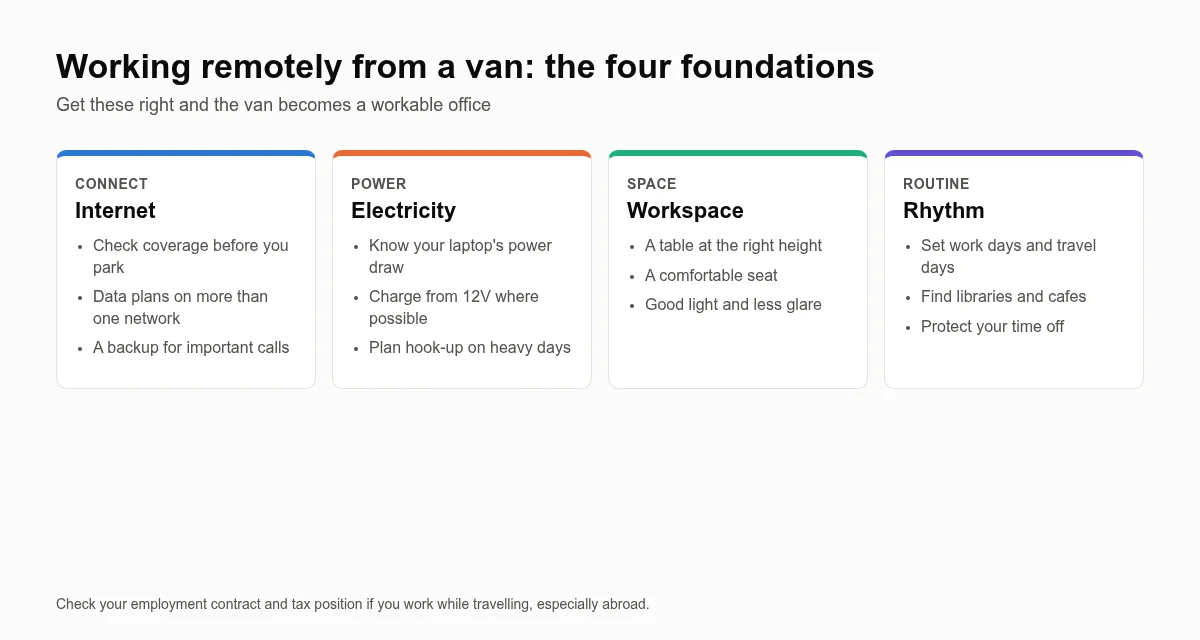
1. Internet: plan around coverage
Most van workers rely on mobile data. Coverage varies a lot between networks and locations, especially in rural Wales, Scotland and the South West, which are exactly the places you will want to park.
- Check before you park: use Ofcom’s mobile coverage checker to compare networks at a postcode before you commit to a spot for a working day.
- Carry two networks: a main SIM and a backup on a different network means one dead spot does not end your day.
- Use a dedicated router: a 4G or 5G router with an external, roof-mounted antenna usually performs far better than a phone hotspot inside a metal van.
- Know your fallbacks: libraries, cafés and co-working spaces are useful for big uploads and important calls.
2. Power: size it for a working day
A laptop, monitor, router and phone running all day add up. Work out your daily use in watt-hours and size your leisure battery and charging to match, with a margin for grey winter days when solar output drops sharply.
| Device | Typical draw | 8-hour day (approx.) |
|---|---|---|
| Laptop | 30–65W | 240–520Wh |
| 4G/5G router | 5–15W | 40–120Wh |
| Portable monitor | 8–20W | 64–160Wh |
| Phone charging | 10–20W (a few hours) | 20–40Wh |
Charging laptops over USB-C or a 12V charger avoids the losses of running an inverter. Our beginner’s guide to campervan electrics walks through batteries, solar and building a power budget.
3. Workspace: protect your body
- A fixed or swivelling table at the right height beats working on your lap.
- A laptop stand with a separate keyboard and mouse keeps the screen at eye level.
- Swivel cab seats can double as a proper chair.
- Noise-cancelling headphones and a decent microphone make calls far more professional.
The Health and Safety Executive’s guidance on working with display screen equipment covers posture, screen position and regular breaks, and it applies just as much in a van.
4. Routine: work, then wander
- Move on non-work days: park up somewhere with signal for a few working days, and travel at weekends or in the evenings.
- Set clear hours: it is easy for work to spill into every evening when your office is also your bedroom.
- Get outside: a walk before you start and after you finish marks the edges of the working day.
- Stay connected socially: working alone in a van can get lonely. Meeting other travellers matters.
Safety and winter
Working from a van means spending long, static days parked up, so read our solo van life safety tips, and if you plan to keep working through the colder months, our winter van life guide covers heating, condensation and power in short days.
Meet other remote workers on the road
Some of the best connections on VanDates are between people who share the same work-and-wander rhythm. Create your free profile to find other remote workers and full-timers near you, or browse more guides on the VanDates blog.